


Audit your site from its own admin.
The score, the fixes worth the most and a page-by-page table, inside WordPress, beside the pages they are about.
Version 0.1.0, a zip file. Works with WordPress 6.0 and newer.

Two minutes to set up
Upload, activate, paste a key.
It knows your pages
You pick them from a list.
Scored at three widths
The complete 56-heuristic audit.
Your content stays put
Only page addresses are sent.
It shows up where you already work.
The UX Signal screen
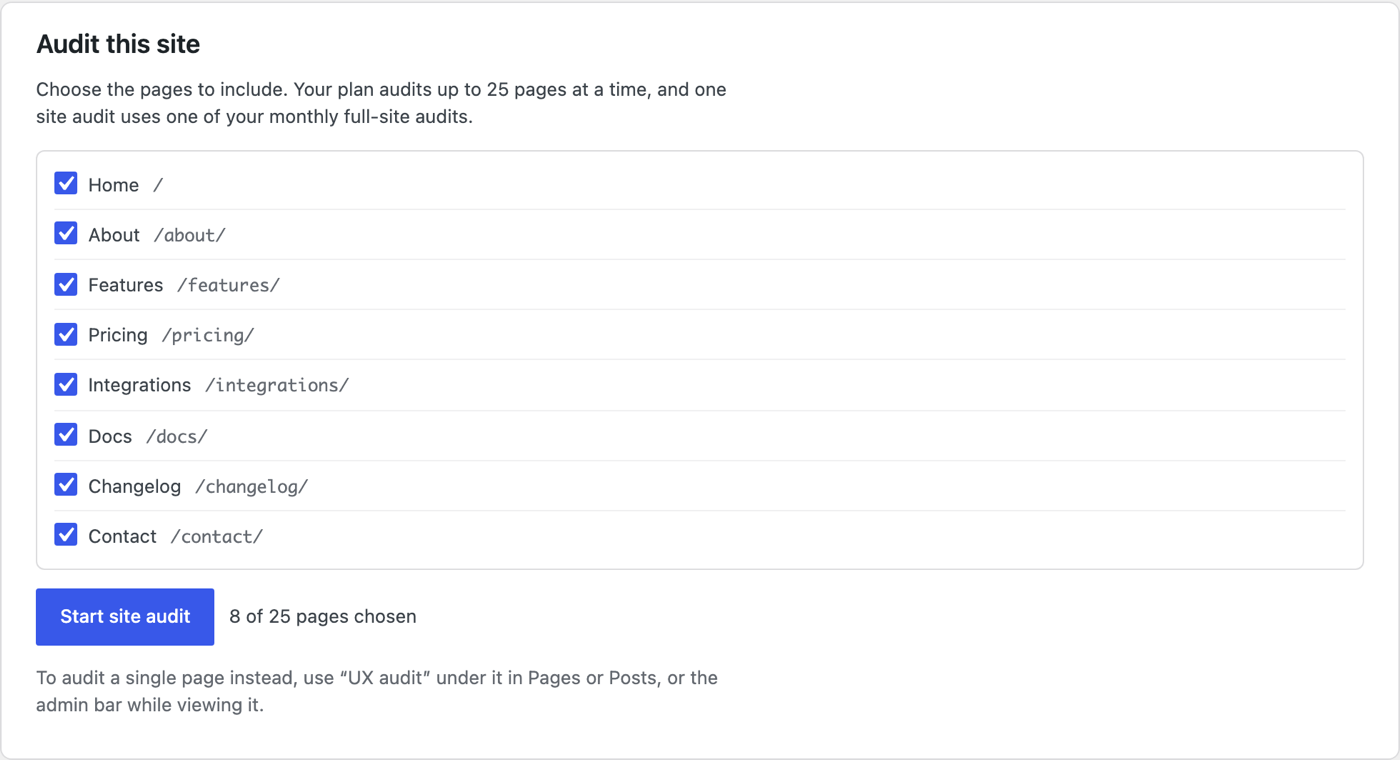
Choose the pages yourself.
WordPress already knows every page you have published, so the audit covers exactly the ones you tick.
The Pages list
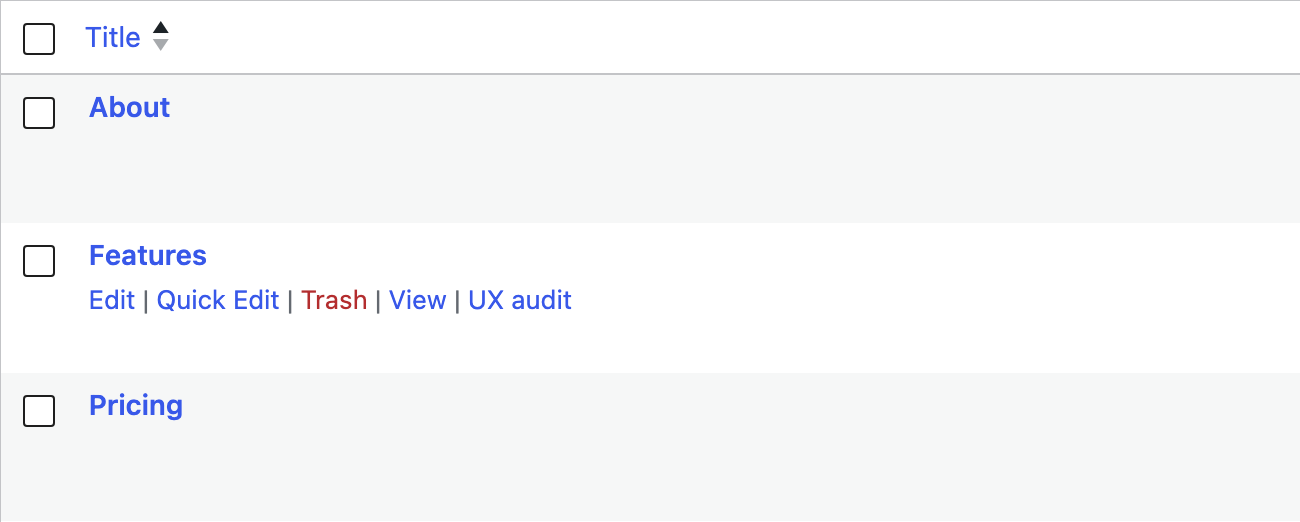
One page, one click.
Every published page and post gets its own UX audit link, right under the title.
The dashboard
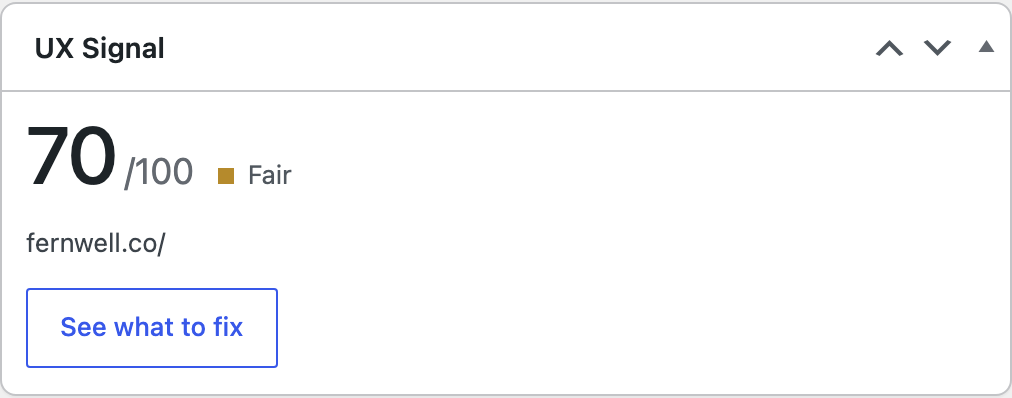
The score when you sign in.
A widget on the WordPress dashboard holds your latest score and takes you straight to what to fix.
Download the plugin
It is one zip file. Leave it zipped; WordPress installs it as it is.
Upload it to WordPress
In your WordPress admin, follow this path and choose the file.
PluginsAdd PluginUpload PluginInstall NowActivate
Connect your account
Make a key in your UX Signal settings. Back in WordPress, open UX Signal in the left menu, paste it and press Connect.
Run an audit
Tick the pages and press Start site audit. A page takes two to three minutes, and you can leave the screen while it runs.
A key and a list of addresses.
UX Signal then loads those public pages in a browser, the way a visitor would.
Sent
Your UX Signal key
The addresses of the pages you choose
Never sent
Your WordPress users
Your content database
Your passwords
Any usage tracking
Included with Pro and Team.
The plugin is free. Audits you start in WordPress count the same as the ones you start on the site.
Before you install it.
The plugin is free. It needs a UX Signal account on Pro or Team, and audits started in WordPress count against the same allowance as the ones you start on uxsignal.io.
Two to three minutes for one page. A site audit takes longer, depending on how many pages you include. You can leave the screen; the result is there when you return.
Not yet. The audit loads your pages the way a visitor does, so the site has to be reachable on the web. For a product behind a login, use the Capture extension for Chrome.
WordPress is reviewing it for the directory now. Until it is listed there, this copy does not update itself. Leave your email at the bottom of this page and we will tell you once, when the listed version is ready.
No. It adds nothing to the pages your visitors see. It only runs inside the admin, and it only talks to UX Signal when you start an audit or open its screen.
While it is early access.
WordPress is reviewing the plugin for its directory. Until then this copy does not update itself. Leave your email and we will tell you once, when the listed version is ready.